
Download Nero General Clean Tool – clean Nero applications, remove Nero software, uninstall Nero, Nero cleanup tool, Nero removal tool, Nero app cleaner, Nero utility
Overview
The Nero General Clean Tool is a specialized system utility developed by Nero AG to assist users in the complete and error-free removal of Nero software from Windows systems. Designed for users who encounter difficulties during standard uninstallation processes—such as persistent errors, incomplete removals, or leftover registry entries—this tool offers a reliable solution for achieving a clean system state. It serves as a dedicated cleanup utility, addressing the common challenge of residual files and configurations that can interfere with future installations or system performance.
Target users include both casual computer users and IT professionals who manage multiple systems and require consistent software hygiene. The tool is particularly beneficial for individuals upgrading to newer versions of Nero software or removing outdated installations that no longer serve their needs. Its functionality mirrors that of other manufacturer-specific removal tools, such as the Norton Removal Tool, offering a standardized, safe approach to software cleanup.
Although the developer did not provide additional technical details about the tool’s architecture or underlying mechanisms, its purpose is clearly defined: to eliminate all traces of Nero applications from the system. Given its release date in 2007, it reflects an early approach to software cleanup utilities, emphasizing reliability and compatibility across various Windows environments. In the broader app ecosystem, it holds a niche but important role as a dependable utility for maintaining system integrity after software removal.
Key Features & Functionality
- Two Removal Options: The tool provides users with a manual selection mode for targeted file deletion and a complete removal mode that eradicates all Nero-related components, including hidden files and registry entries.
- Error Recovery: Specifically designed to overcome common uninstallation errors, this feature allows users to bypass installation blockers and complete the removal process even in corrupted or unstable environments.
- User-Friendly Interface: With a straightforward layout, the tool enables users with minimal technical knowledge to navigate the process confidently, reducing the risk of accidental system changes.
- Comprehensive Cleaning: The complete removal option ensures that no remnants of Nero software remain after the process, preventing potential conflicts with new installations or system performance degradation.
- Windows Compatibility: Built to function across multiple versions of Windows, the tool maintains broad compatibility, supporting both legacy and modern operating systems within the Windows ecosystem.
For example, a user attempting to install Nero 2024 may face issues due to leftover files from Nero 2010. Using the Nero General Clean Tool ensures a fresh slate, allowing the new software to install without interference. Similarly, IT administrators managing multiple workstations can use this tool to standardize system configurations and reduce support tickets related to software conflicts.
Interface, UX & Performance
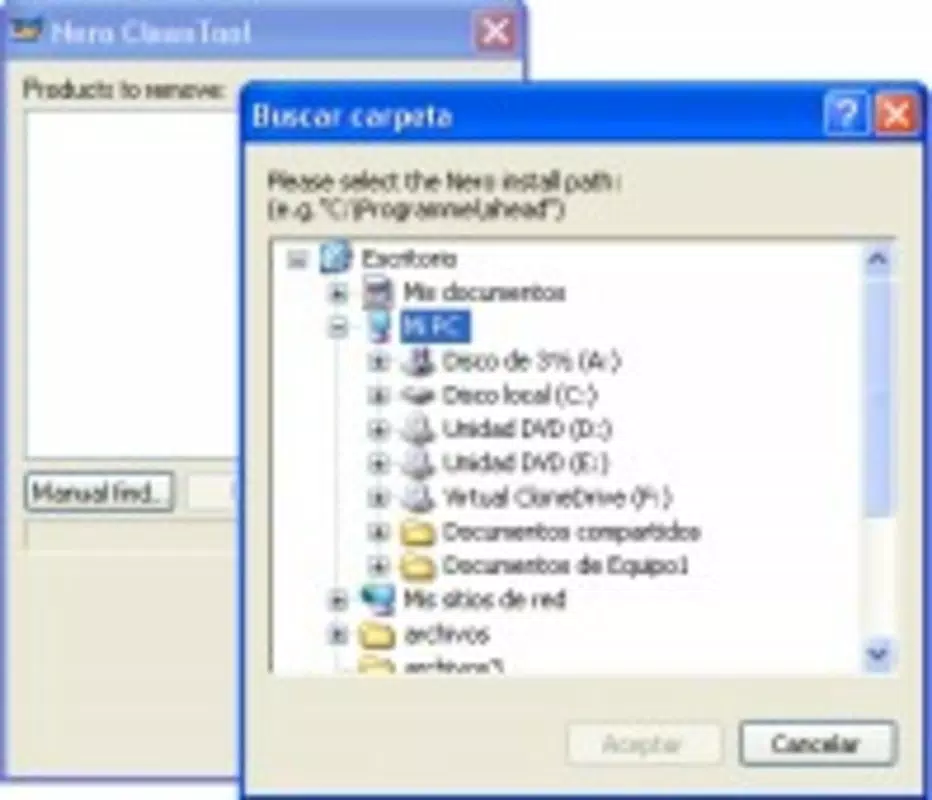
The Nero General Clean Tool features a minimalistic, functional interface that prioritizes clarity and ease of use. Navigation is linear and intuitive, guiding users through the removal process with clear prompts and visual indicators. The layout avoids clutter, focusing on essential actions: selecting the removal mode and confirming the cleanup process.
Although the developer did not list formal performance metrics, the tool’s small file size of 1.0 MB suggests efficient resource usage. It is designed to operate without significant impact on system performance, making it suitable for use on both older and modern Windows systems. Responsiveness is consistent with the expectations of a lightweight utility, with quick load times and immediate feedback during operation.
Stability is a key aspect of the tool’s design, particularly given its purpose of resolving uninstallation issues. Users can expect reliable execution across different system states, including those with partial or corrupted Nero installations. While real-world testing data is not available, the tool’s long-standing presence in the software ecosystem suggests proven reliability.
Platform Compatibility & Technical Requirements
The Nero General Clean Tool is designed exclusively for the Windows platform. It supports a range of Windows operating systems, although specific version details were not listed by the developer. Given its release date in 2007, it was originally built for Windows XP and later versions, and remains functional on updated systems due to backward compatibility.
The application has a file size of 1.0 MB, which is minimal for a system utility, indicating a lightweight footprint. It does not require high-end hardware or extensive system resources to operate. The software version is 1.0.0.1, suggesting a stable, mature release with no reported major updates since its initial launch.
The developer did not specify minimum OS requirements or compatibility with newer Windows versions beyond general support. However, its continued availability suggests ongoing functionality across modern Windows environments. Users are advised to run the tool with administrative privileges to ensure full access to system files and registry entries.
Pros and Cons
Pros
- Efficiently removes all traces of Nero software, preventing future conflicts.
- Offers both manual and complete removal modes for flexible cleanup.
- Designed to resolve uninstallation errors and system blockers.
- Small file size ensures quick download and minimal system impact.
- Accessible interface suitable for users of all technical skill levels.
Cons
- Released in 2007; may lack support for very recent Windows updates or security protocols.
- Compatibility with newer systems is not formally confirmed by the developer.
- No visible update history or future development roadmap.
- Only available for Windows; no support for macOS or Linux systems.
- Does not provide a detailed log or report after cleanup.
FAQ
Is Nero General Clean Tool safe to use?
Yes, the tool is developed by Nero AG and is intended for legitimate use in removing Nero software. It is recommended to run the tool with administrative rights and to back up important data before use.
Can I use this tool to remove other software besides Nero?
No, the tool is specifically designed for Nero applications and should not be used to remove software from other vendors.
Do I need to restart my computer after using the tool?
Restarting is not always required, but it is recommended after a complete removal to ensure all system changes take effect.
Is Nero General Clean Tool available for macOS or Linux?
No, the tool is only compatible with Windows operating systems.
How often should I use the Nero General Clean Tool?
Use it only when you need to remove Nero software entirely. Frequent use is unnecessary and not recommended.
Final Thoughts
The Nero General Clean Tool remains a dependable utility for users seeking to completely eliminate Nero applications from their Windows systems. Despite its age, its focused functionality and proven track record make it a valuable resource for maintaining system cleanliness and preventing software conflicts. Its user-friendly design and dual removal modes cater to both novice users and experienced technicians.
While it lacks modern features like automatic updates or detailed reporting, its core purpose is fulfilled with precision. For anyone dealing with stubborn Nero installations or planning a clean software upgrade, this tool offers a straightforward, secure solution.
Download Nero General Clean Tool now


